
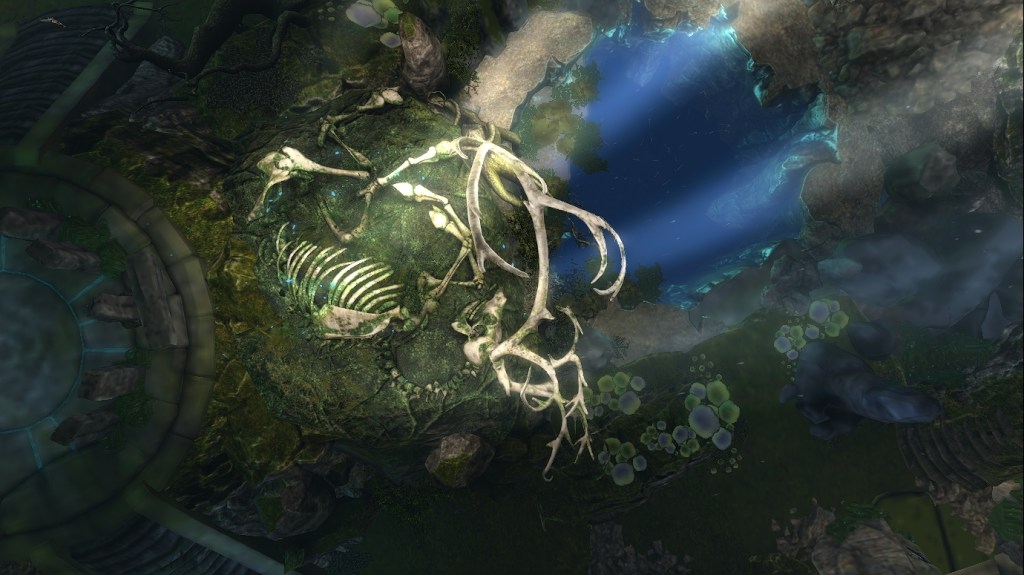
We just shared two posts about Milly Sharple and Traci Ultsch. These artists remind me what’s possible in Second Life. Digital space can feel deeply human. Creativity here knows no bounds.
But actually getting to experience all that beauty? Sometimes it feels like swimming through soup.
Fantasy Faire, SL Birthday builds—these events are stunning, yes. But for many of us, just getting them to rezz is a battle. Even on my 2020 MacBook Pro, textures stall, the camera lags, and I’m moving like I’m underwater. I keep my avatar low-impact, visit at off-peak hours—and still, it’s difficult.

FF25 Photo by Safic Karu
It’s had me wondering lately:
Is Second Life becoming too high-tech to be fun?
I still find the magic. I fight my way into the places I want to see. If I was new here in 2025, I don’t know if I would stick around long enough to catch the magic.
LL’s Response: Better Tools, Better Frames
Linden Lab is listening. In 2025, they rolled out the ExtraFPS Viewer, designed specifically to improve performance and reduce lag. This viewer (and Firestorm Beta!) includes:
- HDR & Emissive Toggles — for dialing down effects on older systems
- Voice Dot Display Options — to declutter the screen during events
- SMAA Antialiasing — smooth edges, less visual chaos
- Sharpening Filter — crisper surroundings, even at lower graphics settings
- Tone Mapping & Exposure — more visual control with less lag
Want to try it? Download the extra FPS viewer
The mobile app is still limited. I can chat but can’t see a thing. However, there’s hope with Project Zero. It is an in-browser SL experience. This project could one day allow more people with basic machines to join the fun.
Sources: Linden Lab Release Notes, Second Life Community Forums, Modemworld.me, Daniel Voyager’s Blog, NWN Blog

Fantasy Faire 2025 Xalren photo by Caitlin Tobias
Viewer Settings That Help
Whether you’re on Firestorm, the official SL Viewer, or Alchemy, these tips might help you get unstuck and back into the good stuff:
🔹 GENERAL TIPS (all viewers)
Lower Your Draw Distance
Preferences > Graphics > Draw Distance
Set it to 64m or 128m in crowded areas. You don’t need to see the entire sim when you’re lagging.
Set Performance to Mid or Low
Preferences > Graphics > Quality & Speed slider
Slide it left for smoother performance, especially during events.
Turn Off Shadows & Advanced Lighting
Shadows are stunning—but so, so greedy. Disable for speed.
Watch Your Avatar Complexity
Avatar > Avatar Health > Show Avatar Complexity
You can also set a threshold so overly complex avatars appear as jellydolls. Or derender Avatars entierly.
💡 FOR FIRESTORM USERS
Use Quick Preferences (Gear icon)
Lower draw distance, disable particles, water reflections, etc.—fast.
Show Friends Only
Preferences > Graphics > Rendering Options
Hide strangers’ avatars unless they’re on your friends list.
Use ExtraFPS Mode
Available in Firestorm Beta—designed to improve frame rate without sacrificing too much beauty.
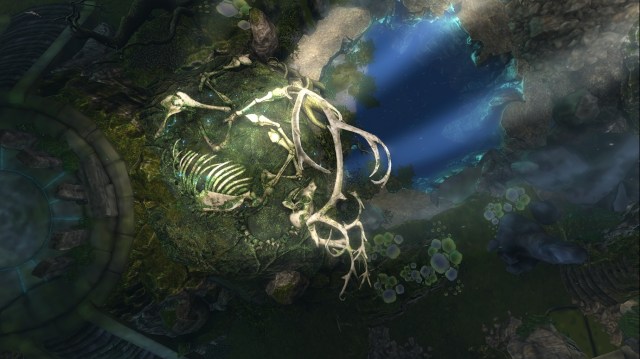
Taken on the new Firestorm beta viewer – YUUM BAALAL GROTTO At Fantasy Faire, no edits.
💻 FOR OFFICIAL SL VIEWER USERS
Try the ExtraFPS Viewer
Includes all those performance-tweaking features mentioned above. Even newer MacBooks will thank you.
🧪 FOR ALCHEMY USERS
Use Low or Custom Graphic Presets
Alchemy is known for its lightweight performance. Use its built-in presets or customize settings to disable high-impact visuals like shadows, glow, and water reflections.
Reduce Max Particle Count and Post-Processing
Navigate to Preferences > Graphics and lower these values for better responsiveness.
Adjust Texture Memory and Object Detail
Smaller texture memory allocations can reduce freeze-ups, especially on mid-tier machines.
Why This Matters
I’m not here to bash the tech—I love where Second Life is going. Some of the most breathtaking art and immersive experiences are only possible because of how far the platform has evolved. But let’s be real: this evolution isn’t frictionless.
If Second Life becomes too heavy for everyday systems, these spaces could become less lively. The beautiful, magical spaces we build might become a little too quiet. This is important not only to artists and creators. It’s also important to anyone who logs in hoping to connect, explore, and feel something real.
So yes, let’s keep dreaming and building and playing dress-up in the clouds. But let’s also keep talking about how to keep SL accessible. Whether you’re on a monster gaming rig or a wobbly old laptop, there should still be room for you here.
Philip Rosedale, SL’s founder, has been holding community talks about these issues—performance, future tech, and where we go from here.
So much is happening. Things are improving. I see the effort. I feel the shift.
And still—at this very moment—I’m sitting on my porch, squinting at a half-rezzed Fantasy Faire build, whispering to the SL and Apple gods, “please load, please load.”
🦉 —Owl Dragonash


Leave a little magic behind—your words matter.